Pcf-Model-Driven-Apps
Pcf-Model-Driven-Apps is an code AI skill with a core value of Code components for model-driven apps implementation and configuration. It
helps developers solve real-world problems in the code domain, boosting
efficiency, automating repetitive tasks, and optimizing workflows.
Code components for model-driven apps implementation and configuration
Quick Facts
mkdir -p ./skills/pcf-model-driven-apps && curl -sfL https://raw.githubusercontent.com/github/awesome-copilot/main/skills/pcf-model-driven-apps/SKILL.md -o ./skills/pcf-model-driven-apps/SKILL.mdRun in terminal / PowerShell. Requires curl (Unix) or PowerShell 5+ (Windows).
Skill Content
# Code Components for Model-Driven Apps
Power Apps component framework gives developers the ability to extend the visualizations in model-driven apps. Professional developers can create, debug, import, and add code components to model-driven apps using [Microsoft Power Platform CLI](https://learn.microsoft.com/en-us/power-apps/developer/component-framework/get-powerapps-cli).
Component Usage
You can add code components to:
- Columns
- Grids
- Sub grids
in model-driven apps.
> **Important**: Power Apps component framework is enabled for model-driven apps by default. See [Code components for canvas apps](https://learn.microsoft.com/en-us/power-apps/developer/component-framework/component-framework-for-canvas-apps) to learn how to enable Power Apps component framework for canvas apps.
Implementing Code Components
Before you start creating code components, make sure that you have installed all the [prerequisites](https://learn.microsoft.com/en-us/power-apps/developer/component-framework/create-custom-controls-using-pcf#prerequisites) that are required to develop components using Power Apps component framework.
The [create your first code component](https://learn.microsoft.com/en-us/power-apps/developer/component-framework/implementing-controls-using-typescript) article demonstrates the step-by-step process to create code components.
Add Code Components to Model-Driven Apps
To add code components to a column or a table in model-driven apps, see [Add code components to model-driven apps](https://learn.microsoft.com/en-us/power-apps/developer/component-framework/add-custom-controls-to-a-field-or-entity).
Examples
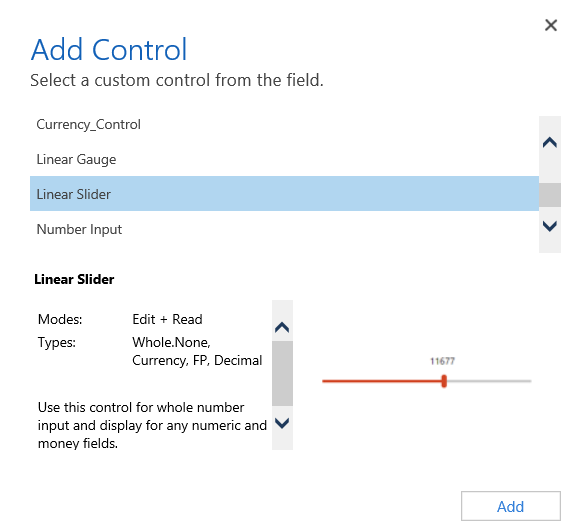
**Linear Slider Control:**
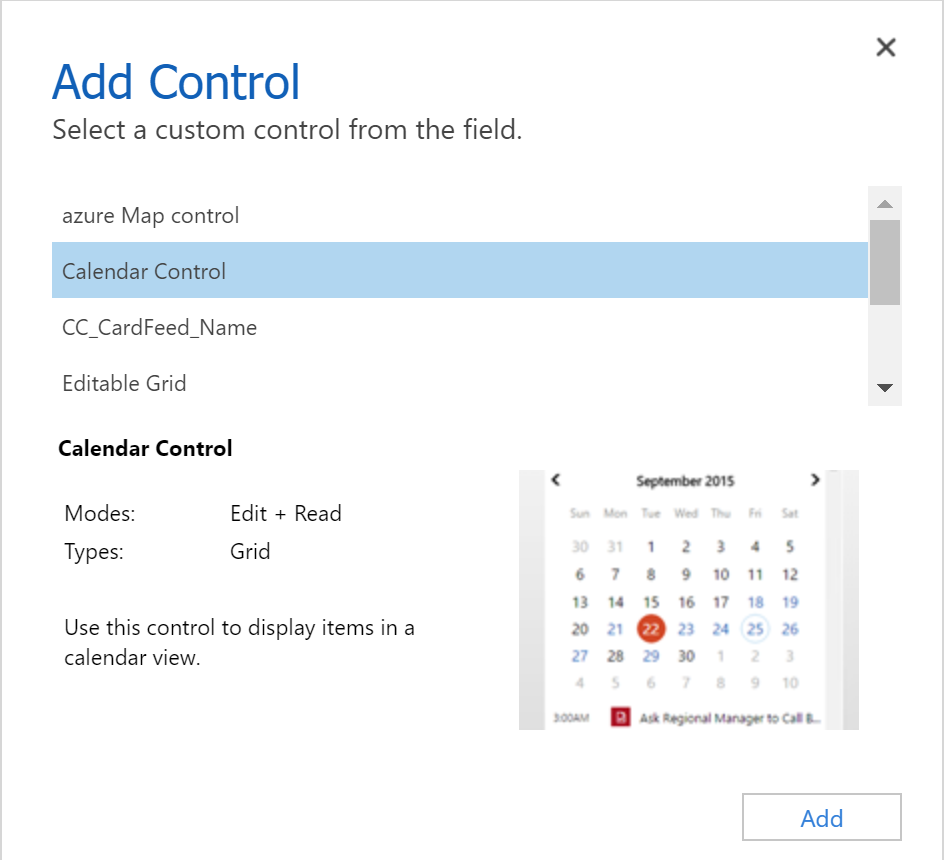
**Data Set Grid Component:**
Update Existing Code Components
Whenever you update the code components and want to see the changes in runtime, you need to bump the version property in the manifest file.
**Best Practice**: It is recommended to always bump the version of the component whenever you make changes.
See Also
- [Power Apps component framework overview](https://learn.microsoft.com/en-us/power-apps/developer/component-framework/overview)
- [Create your first code component](https://learn.microsoft.com/en-us/power-apps/developer/component-framework/implementing-controls-using-typescript)
- [Learn Power Apps component framework](https://learn.microsoft.com/en-us/training/paths/use-power-apps-component-framework)
🎯 Best For
- Claude users
- GitHub Copilot users
- Software engineers
- Development teams
- Tech leads
💡 Use Cases
- Code quality improvement
- Best practice enforcement
📖 How to Use This Skill
- 1
Install the Skill
Copy the install command from the Terminal tab and run it. The SKILL.md file downloads to your local skills directory.
- 2
Load into Your AI Assistant
Open Claude or GitHub Copilot and reference the skill. Paste the SKILL.md content or use the system prompt tab.
- 3
Apply Pcf-Model-Driven-Apps to Your Work
Open your project in the AI assistant and ask it to apply the skill. Start with a small module to verify the output quality.
- 4
Review and Refine
Review AI suggestions before committing. Run tests, check for regressions, and iterate on the skill output.
❓ Frequently Asked Questions
Is Pcf-Model-Driven-Apps compatible with Cursor and VS Code?
Yes — this skill works with any AI coding assistant including Cursor, VS Code with Copilot, and JetBrains IDEs.
Do I need specific dependencies for Pcf-Model-Driven-Apps?
Check the install command and Works With section. Most code skills only require the AI assistant and your codebase.
How do I install Pcf-Model-Driven-Apps?
Copy the install command from the Terminal tab and run it. The skill downloads to ./skills/pcf-model-driven-apps/SKILL.md, ready to use.
Can I customize this skill for my team?
Absolutely. Edit the SKILL.md file to add team-specific instructions, examples, or workflows.
⚠️ Common Mistakes to Avoid
Skipping validation
Always test AI-generated code changes, even for simple refactors.
Missing dependency updates
Check if the skill requires updated dependencies or new packages.